Stop Paying for Norton or McAfee — You’re Already Protected
When you bought your new computer it likely came with Norton or McAfee pre-installed, and one year later there’s a nagging message saying your subscription is expiring. It looks serious. It feels like you need to pay up or risk everything.
Let me reassure you: you don’t need it. Microsoft Defender, which comes free with Windows, is genuinely good enough for almost everyone. I’m going to explain why that’s the case, and how you can save that yearly subscription fee for something more useful without risking your online security.
Don’t worry if this feels like a big decision, I’ll explain everything step by step, and you’ll see there’s nothing to fear here.

Why Do Computers Come With Norton or McAfee Pre-Installed?
The thing that manufacturers don’t tell you is that those pre-installed antivirus programs aren’t there for your protection. They’re there because computer manufacturer’s or resellers like Currys, PC World etc, get paid to include them.
When you unbox a new PC and see Norton or McAfee already installed, it’s not because Microsoft or Dell or HP thinks you need it. It’s a business arrangement, nothing more.
💡 Tip
Pre-installed software like this is called “bloatware” — programs that benefit the manufacturer, not you
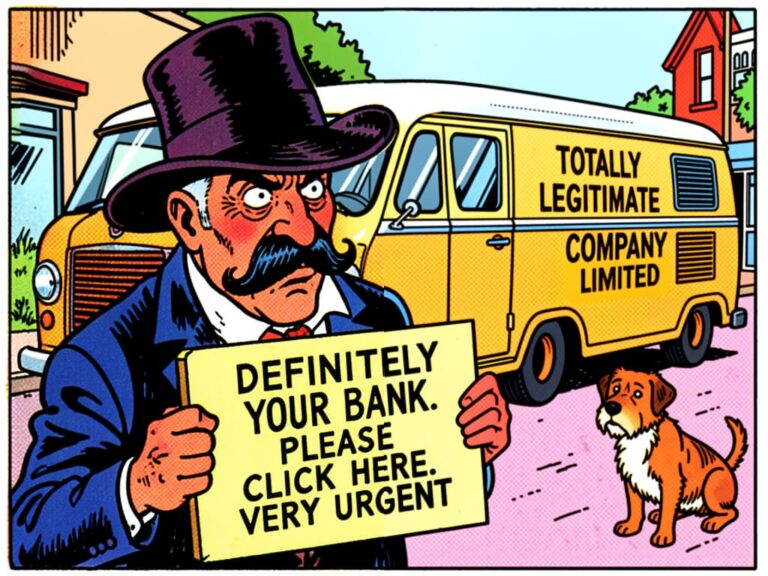
The subscription model is deliberate. They know most people will see the expiry warning, feel a bit anxious, usually not know any better and just pay to keep things simple. It’s designed to feel urgent, even when it isn’t.
What Is Microsoft Defender?
Microsoft Defender is the built-in antivirus that comes with Windows 10 and Windows 11. It’s been there since 2015, and it’s completely free. No subscription. No renewal notices. No upselling.

So you might be thinking: “If it’s free, can it really be any good?” That’s a fair question, and the answer is simple, yes.
In independent testing by organisations like AV-TEST and AV-Comparatives, Microsoft Defender consistently scores as well as — and sometimes better than — paid alternatives. It catches the same viruses, the same malware, the same ransomware. The protection level is essentially identical.
✓ Important
Microsoft Defender is enabled by default on all Windows 10 and 11 computers
You might already be using it and not even realise. In fact if you’ve never installed any other antivirus, Microsoft Defender is what’s been protecting you all along.
What’s the Difference Between Free and Paid Antivirus?
This is where things get interesting. The core protection — the actual virus scanning and blocking — is virtually the same. So what are you paying for with Norton or McAfee?

Useful Features You Probably Don’t Need
Paid antivirus suites often include extras like:
- VPN services (usually limited and slow, if you actually need a VPN there are much better options)
- Password managers (there are better free options like Bitwarden)
- “System optimisation” tools (Windows already does this)
- Cloud backup (you’re arguably better off with OneDrive or Google Drive directly)
- Parental controls (Windows has these built-in for free)
I’m certainly not saying these features are useless but I am saying you can get better versions of them separately, often for free, rather than bundled into an antivirus subscription you don’t need.
The Real Difference: Support and Convenience
Where paid antivirus sometimes wins is on support. If something goes wrong, you can call Norton or McAfee and speak to someone. With Defender, you’re relying on Microsoft’s general support channels. Whether having that communication channel will get you sorted quickly and with minimal irritation is anyone’s guess.
However, if you’re reading my articles, you’ve got me. I’m here to help if anything security-related goes wrong. No call queues, no off-shore call center, just patient human support, in your home.
⚠️ Warning
Be wary of scare tactics — “Your PC is at risk!” messages are often designed to frighten you into paying
But If I Just Use Microsoft Defender Won’t I Receive A Virus In My Email?
This is extremely unlikely nowadays, not because all viruses have been resolved, far from it but because most peoples email comes through Apple, Google, Yahoo etc. Email providers see many billions of emails pass through their servers every day, they have far more advanced virus software than you do. Software like McAfee and Norton and Microsoft Defender are focused on the activity performed on your device, the use of files, programs and browsing, they can only help with infected emails if they get through in the first place. If your use is very “normal” and you don’t navigate to the darker sides of the web then you’ve got even less reason to need a paid solution.
Who Actually Needs Paid Antivirus?
I’m not saying paid antivirus is never worth it. For most people, it isn’t. But there are situations where it might make sense.
You Might Consider Paid Antivirus If:
- You want telephone support included and are willing to pay for that convenience.
- You’re using an older version of Windows that no longer receives Defender updates, Windows 7 and Windows 8.1 no longer receive security updates. Note that Windows 10 does, you do not need to Windows 11 to get Microsoft Defender updates.
For everyone else, home users, families, seniors just wanting to browse, email, and shop online, Microsoft Defender is absolutely fine. I’ve said it plainly because I want you to feel confident about this.
I’m Still On Windows 10, Am I Still Protected By Microsoft Defender?
Yes, Microsoft Defender will continue to update even if you are on Windows 10. This is not the same as the end-of-life messages you’ve heard about Windows 10 no longer receiving critical security updates. Those updates relate to the updating of Windows operating system itself, which is important to protect from software vulnerabilities being exploited, however that is not the same as Virus & Malware protection. Nonetheless, I would encourage you to upgrade to Windows 11 or a PC that can run it but Microsoft Defender is not the reason to do so.

How to Check If You’re Already Protected
You might be wondering: “How do I know Defender is actually running on my computer?”, let me explain.
Step 1: Open Windows Security
On your Windows PC, click the Start button in the bottom left corner and type “Windows Security”. Open the app that appears. It has a blue shield icon.
Step 2: Check Virus & Threat Protection
Click on “Virus & threat protection” in the left menu. You should see green checkmarks indicating everything is working.
Step 3: Verify Real-Time Protection Is On
Under “Virus & threat protection settings”, make sure “Real-time protection” says “On”. This is what actively scans for threats as you use your computer.
💡 Tip
If you see a message saying “Another antivirus is running”, that’s Norton or McAfee still active — we’ll remove it below
If you see all green ticks and “Protected” at the top, you’re already secure. There’s genuinely nothing more you need to do.
How to Remove Norton or McAfee and Use Defender Instead
If you’ve decided to stop paying, here’s how to switch over properly. Take your time with this — there’s no rush.
Before You Cancel Your Subscription
First, make sure Defender is ready to take over:
- 1. Open Windows Security as described above
- 2. Confirm all protections show as active
- 3. Run a quick scan to verify everything works
Uninstall the Paid Antivirus
- 1. Open **Settings** → **Apps** → **Installed apps**
- 2. Find Norton or McAfee in the list
- 3. Click the three dots next to it and select **Uninstall**
- 4. Follow the prompts to remove it completely
Important: Use Their Removal Tools
Antivirus programs often leave bits behind even after uninstalling. Norton and McAfee both provide dedicated removal tools:
- **Norton Remove and Reinstall Tool**: Download from Norton’s website
- **McAfee Consumer Product Removal Tool**: Download from McAfee’s website
Run these after uninstalling to make sure everything is truly gone. Defender will automatically activate once it detects no other antivirus is present.
✓ Important
Restart your computer after removal to ensure Defender fully activates
Cancel the Subscription
Don’t forget to actually cancel the subscription itself or you you will be paying for nothing:
- Log into your Norton or McAfee account online
- Find your subscription in account settings
- Turn off auto-renewal or cancel entirely
- Keep the confirmation email for your records
You might be offered discounts to stay, that’s normal. You can politely decline, afterall if you don’t need something but can buy it cheaper, then you still don’t need it.
What About Free Versions of Norton or McAfee?
You might have noticed they offer free versions. These are more limited than the paid subscriptions, but they’re still not necessary.
The free versions typically provide basic virus scanning but lack features like:
- Firewall protection (Windows has this built-in and so does your Wi-Fi router)
- Identity theft monitoring (Defender doesn’t do this, but you don’t really need third-party software for it either)
- Advanced ransomware protection (Defender includes this)
It is of course tempting to think “free is free”, but if you’re going to use free software, you might as well use the one that’s already integrated into Windows rather than adding another program that slows things down. Keeping more than one is just layering a virus scanner on top of a virus scanner. Also, all software which is running continually, has a performance impact, so once it’s removed you’ll make your pc a little faster too.
Common Questions I Am Asked
Valid questions I often hear when discussing this:
“But My Computer Came With It — Surely That Means I Need It?”
Yes, that does feels logical doesn’t it? But remember: it was pre-installed because of a business deal, not because it’s necessary. Your computer works perfectly well without it.
“What If I Get a Virus Without It?”
You’re actually just as protected with Defender. The virus doesn’t care which antivirus is running — it just needs to be caught. Defender catches them. If you still get a virus or malware or a PUP (Potentially Unwanted Program), then you can call me for help.
“Isn’t Microsoft Less Trustworthy Than a Security Company?”
I think that’s an understandable question in 2026 but you’ve probably been trusting them with much more for the last 20+ years. Microsoft has an enormous incentive to keep Windows secure. Their entire business depends on people trusting Windows. They’re not going to cut corners on basic protection.
“I’ve Used Norton for Years — Why Change Now?”
There’s no urgent reason to change if you’re happy. But if you’re paying £40-£80 per year and wondering if it’s necessary, the answer is: probably not. In these expensive times, that money could go toward something more enjoyable or useful.

Final Thoughts
I know technology decisions can feel overwhelming. There’s always a company telling you that you need more, better, faster protection and their product will provide it. It’s designed to make you feel uncertain.
Here’s what I want you to remember: Microsoft Defender is genuinely good enough. You don’t need to pay for Norton or McAfee to stay safe online. The protection is essentially the same, and you’ll save money every single year.
Check your current protection. Run through the steps when you’re ready. And if anything goes wrong or you have questions, I’m here to help.
Technology is genuinely hard, despite what we’re all encouraged to believe, simply reading this post shows you’re trying to learn and support yourself, and now you know better — that’s what matters.
💡 Tip
Bookmark this article for reference when your subscription expiry notice pops up. Something unusual happening on your PC already?
Give me a call on 07411218222.