
Digital skills training for groups, delivered in plain English.
Practical, unhurried sessions for older adults, accross Suffolk, run in your own venues. Designed and delivered by one person with 25 years in IT. No scripts, no jargon, and nobody made to feel foolish.
What this is
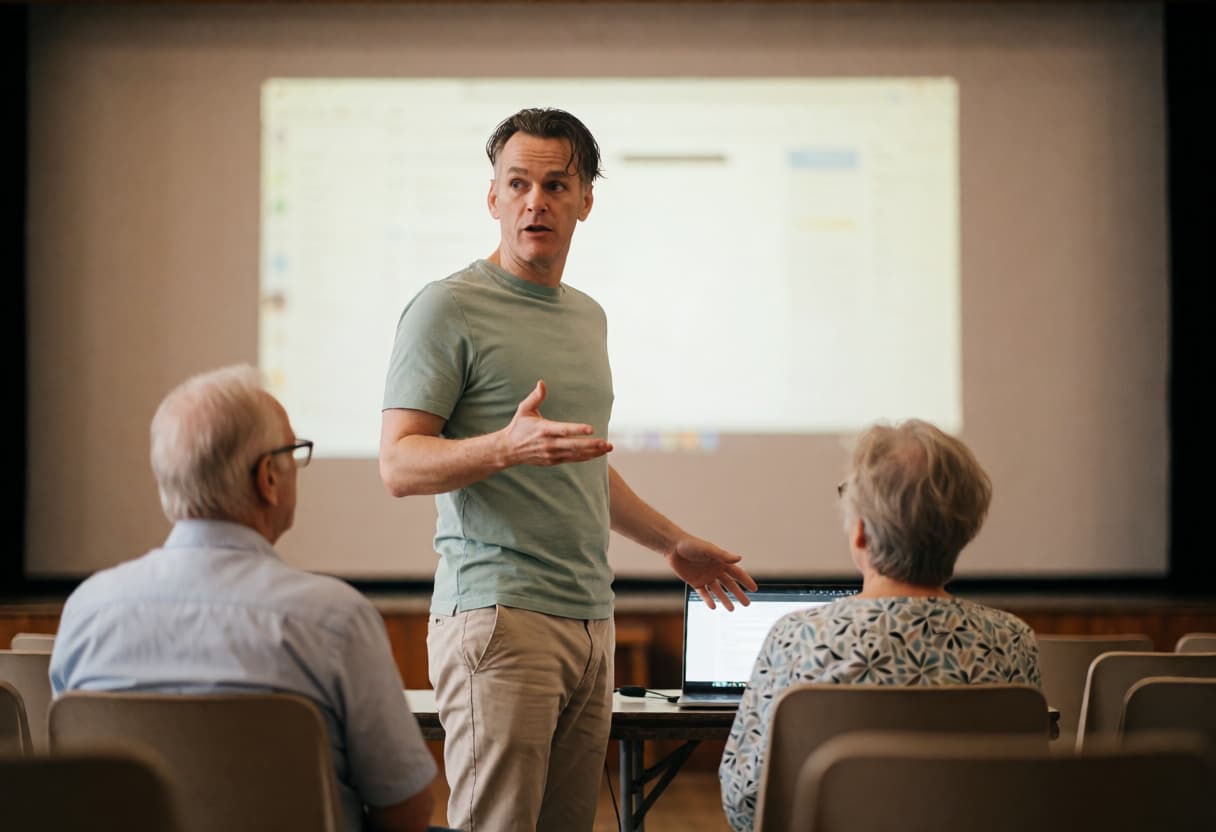
I run group sessions that help people get more comfortable with the technology they already own. Not to turn anyone into an expert, but to remove the daily friction caused by phones, tablets and computers.
Sessions run in libraries, village halls, community centres, sheltered housing schemes, church halls and social clubs. I bring the materials. You provide the room and the people.
I’m not a training company with a delivery team. You get me, every session, so nobody has to explain their situation twice.
How I teach
- No test language. Nobody is assessed, nobody is put on the spot, and nobody has to demonstrate anything in front of the room. People sometimes expect to feel exposed or judged, but my sessions are designed to be supportive and inclusive.
- People use their own devices. Learning on a borrowed device and going home to a different one helps nobody. Everyone works on the thing they actually own.
- Everything is explained before it’s done. Not “press this, then this,” but why the thing works the way it does, so the knowledge survives past the session.
- Printed handouts, in large print, every time. People forget. The handout is what they still have in three weeks, and it’s written so a family member can follow it too.
- I don’t use the word “vulnerable.” The people in my sessions are capable adults dealing with badly designed technology, and I adapt my style of delivery to ensure everyone can participate comfortably, regardless of their starting point.
Topics I cover
Most of these work well as a single session. Some need two or three, particularly where people benefit from going away, trying it on their own device, and coming back with questions.
Which shape suits your group depends on who’s in the room — how much they already use their devices, and whether the same people will be coming back each time. I’ll tell you what I’d recommend when we speak, before you commit to anything.
Spotting scams
Text messages, emails and phone calls, and what to do when one gets through.
Passwords and two-step login (2FA)
Why everything suddenly wants a code, and how to stop it being a daily battle.
Digital legacy
Sorting out accounts, photos and passwords so families aren’t left locked out.
Video calling
WhatsApp, FaceTime and Zoom, for people who want to see their grandchildren.
Phone and tablet basics
Apple or Android, the physical device itself as well as the basics of the software it’s running. All from the beginning, without assuming anything.
Email that doesn’t feel like a chore
Sorting, deleting, finding things again.
The apps that matter
NHS App, banking, GP appointments, bus and train times.
Making a device easier to use
Larger text, louder sound, screen reading, and the accessibility settings nobody is ever shown.
What AI actually is
An honest, non-hysterical explanation of what it does and where it turns up.
Staying safe online without paying for it
Why the antivirus subscription probably isn’t needed.
If your group wants something not on this list, please get in touch and ask. Most topics can be custom built.
Session formats
Any topic above can be delivered in any of these shapes. We agree which one before you book.
Single session
Up to 12 people. One topic, covered properly. Handouts for everyone. This suits most topics and most groups.
Multi-session course
Same group across several visits, building on each other. Better retention, and people come back because they know the room. The Digital Legacy course, just below, is a worked example.
Drop-in surgery
No set topic. People come with their own device and their own problem. Works well alongside an existing coffee morning or lunch club, and it’s the format that reaches people who’d never sign up for “training.”
One-to-one within a group setting
For sheltered housing and residential settings where a room full of people isn’t practical. Working through residents one at a time.
Groups larger than 12 are technically possible but the pace changes. I’ll be honest with you about what’s realistic rather than take the booking and hope.
The Digital Legacy course
This is the one topic I’ve fixed into a set three-session structure rather than scoping it per group, because it comes up often enough to be worth building out properly: what happens to someone’s digital life when they die, and how to prepare for it while it’s still an easy conversation. It’s something families deal with constantly and almost nobody plans for.
Session one
What you actually own
Accounts, photos, subscriptions, and where they all live.
Session two
Making it findable
Recording access safely, without a list of passwords in a drawer.
Session three
Telling someone
Legacy contacts, what to leave with a solicitor, and how to talk to family about it.
Each session comes with a take-home handout, and together they build into a useful reference pack that people can keep and revisit.
You’re not the problem. Technology is much harder than anyone admits.
It’s the first thing I say in most sessions, and it gets everyone listening. People arrive apologising for themselves, believing they should already know what they’ve never been taught.
What it costs
| Format | Commissioned rate |
|---|---|
| Single session (60–90 mins) | £250 |
| Three-session course | £650 |
| Half-day drop-in surgery | £450 |
| Half-day one-to-one sessions | £450 |
Includes travel within Mid Suffolk, all printed handouts, and a short written summary afterwards if you need one for your funder or trustees.
I’m not VAT registered, so the price quoted is the price invoiced. Payment by BACS, 30 days.
Who I work with
- Libraries
- Parish councils
- Village halls
- Sheltered and retirement housing schemes
- U3A groups
- WI branches
- Community centres
- Lunch clubs
- Churches
- Charities
- Residential settings
Across Elmswell, Stowmarket, Bury St Edmunds, Woolpit, Thurston, Haughley and the surrounding Suffolk villages.
I already volunteer twice a month delivering free tech drop-ins with Communities Together East Anglia, at the Wesley Cafe in Elmswell and Stowmarket Library. I’m very comfortable with working in these kind of community environments.
Practical requirements
What I need from you
- A room with chairs and a table or two
- Tea, coffee, water & biscuits if you’re feeling generous
What helps but isn’t essential
- Wi-Fi that guests can join — many people don’t want to use their mobile data
- Enough plug sockets for people to charge devices
What I bring
- All printed materials
- My own laptop, projector & screen
Common questions from commissioner and organisers
How many sessions will our group need?
It depends on the topic and on who’s in the room. Most topics work well as a single session. Where people are starting from scratch, or where they’ll benefit from practising on their own device and coming back with questions, two or three works better. Tell me who you’re working with when we speak and I’ll give you a straight recommendation, not an upsell.
Is this staff training?
No. The learners are always the people your organisation supports, not your team. If you need your staff trained on your own systems, I’m not the right person for that.
Can you take individual referrals as well as group bookings?
Yes. Some people won’t join a group and shouldn’t be pushed into one. If it’s easier to send someone to me directly for one-to-one help at home, that works.
Are you DBS checked?
Yes, and I’m happy to provide the certificate. I’m also fully insured, details on request.
Do you have a safeguarding policy?
Yes. It’s set out in full on the credentials and policies page.
Can you provide a written summary for our funder?
Yes. Attendance numbers, topics covered, and a short account of how it went, enough to satisfy a small grant report without inventing outcomes that didn’t happen.
How far ahead do you need to book?
Two to three weeks is comfortable. Less is often possible, please feel free to ring and ask.
Can you deliver to people who’ve never used a device before?
Yes, and it’s a lot of what I do. The sessions assume nothing.
What if attendance is lower than expected?
If that happens, it isn’t a problem. The sessions are designed to work just as effectively with four people as they do with twelve. Everyone who attends will receive the same high-quality experience, and the price doesn’t change.
Do you work outside Suffolk?
Potentially, yes. It depends on the location and the nature of the work, but I’m always happy to have a conversation. Please get in touch to discuss your specific needs.
Take the course overview to the boss
Everything above in one document: what I cover, formats, pricing and credentials, ready to pass on to whoever signs off the booking.
Download the course overview (PDF) Or talk it through first: 07411 218222Prefer to ask a question first?
Leave a few details and I’ll get back to you the next working day, often sooner.